
Running a golf tournament the old way is a full-time job for at least two people. There is an Excel sheet with player names and handicaps. There is a WhatsApp group where half the players do not confirm until the morning. There is a manual draw that gets reshuffled when three people no-show on the day. There is a scorer running between groups trying to collect cards before the bar runs out of food. And at the end of it all, there is someone hunched over a laptop adding up numbers and hoping they did not make a mistake on hole 14.
Golf tournament management software changes every single one of those steps. This article walks through exactly how it works, from the moment you decide to run an event to the moment results land in every participant’s inbox.
What Golf Tournament Management Software Actually Is
Before getting into the workflow, it helps to be clear about what this kind of software does and does not do.
Golf tournament management software is a digital system that handles the complete lifecycle of a golf event. That means the pre-event setup, the day-of scoring and live results, and the post-tournament reporting, all without spreadsheets, paper scorecards, or manual calculations.
What it is not is a GPS rangefinder, a swing analyser, or a tee time booking system. It is specifically built for the administration and competitive experience of running organised golf events, whether that is a 12-player club competition or a 200-player charity open with multiple flights, categories, and formats.
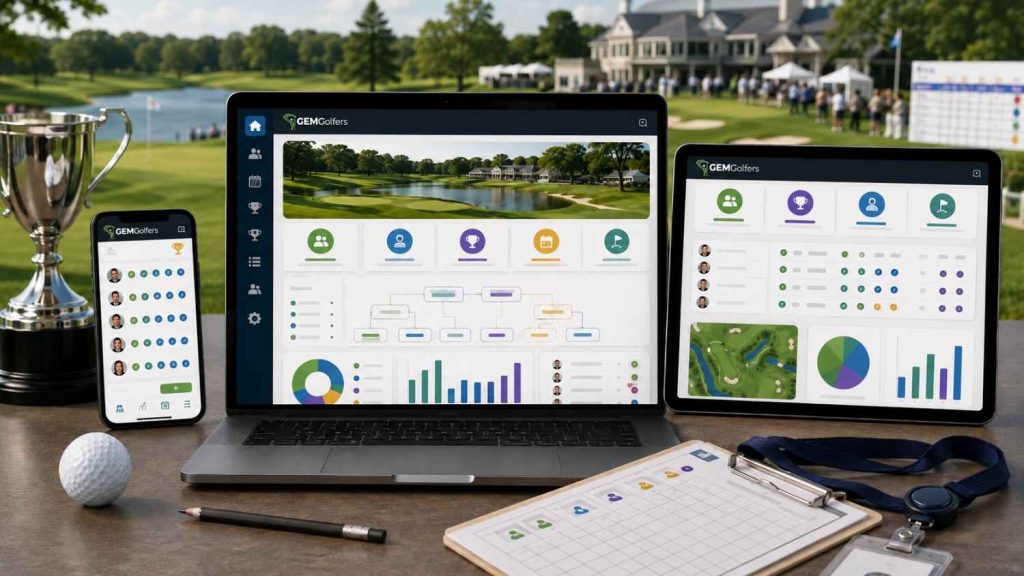
GemGolfers is one of the most complete examples of this kind of platform available today. Built on iOS, Android, and a web admin panel, it covers the entire tournament workflow end to end, and does so at a scale that works equally for a casual club day and a multi-day, multi-course championship.
Phase 1: Pre-Tournament Setup
The setup phase is where tournament management software earns most of its value. A well-designed golf tournament system removes the back-and-forth coordination that traditionally eats up hours of an organiser’s time in the days before an event.
Choosing the Format
The first step is selecting the playing format. A digital tournament management platform like GemGolfers supports a full range of individual and team formats: stroke play (gross and net), Stableford, modified Stableford, match play, skins, 4-ball best ball, foursomes, scramble, Texas scramble, shambles, greensome, LIV format, and Ryder Cup format. This matters because the software handles all the scoring calculations automatically once the format is set. Organisers do not need to remember how Stableford points work on a double bogey or how to score a foursomes round by hand.
Player Categories and Flights
Most real-world tournaments have different competitive categories: men, women, seniors, amateurs, professionals, or custom groupings specific to the event. GemGolfers lets organisers configure all of these in the setup phase, with separate leaderboards and prize pools running simultaneously within the same tournament.
Flights can be set by handicap range, which is the standard approach for larger events where competitive balance matters. The platform handles the flight assignments automatically once you set the parameters.
Group Pairing
Player groups can be generated by the system automatically (by handicap, by score in multi-round events, or by random draw) or adjusted manually before launch. This takes minutes inside the admin panel rather than the usual process of moving names around a spreadsheet while people message asking who they are paired with.
Distribution
Once the tournament is configured, the organiser distributes a simple join code through whatever channel works for the group: WhatsApp, email, or text. That is the entire player communication process. No pre-registration form. No app tutorial. Players join in under 60 seconds on the day.
Phase 2: Day-of Execution
The day-of experience is where digital tournament management separates itself most clearly from the paper and spreadsheet approach.
Players Join
When players arrive at the course, they open the GemGolfers app on iOS or Android, enter the join code, and they are in the tournament. No account needed. No form to fill out. The digital scorecard is waiting for them with their group, their format, and their starting hole already configured. The whole process takes under 60 seconds.
If players do not show, the automatic flight adjustment feature reconfigures groups without the organiser needing to manually redo the draw. This alone eliminates one of the most stressful situations a tournament director faces on the morning of an event.
Live Score Entry
One player in each group acts as the scorer, entering the group’s scores hole by hole into the app. This mirrors the way paper scoring already works in most groups, so there is no behavioural change required. The difference is that the moment scores are entered, they are live.
Every score feeds directly into the tournament leaderboard in real time. Organisers can see exactly where every group stands at any moment during the round. Players can check the live leaderboard on their phones. Non-playing members, sponsors, and spectators can follow the same live leaderboard on any web browser without logging in or downloading anything.
Gross and net scores are both available with one tap, and the system handles all handicap adjustments automatically based on the format selected during setup.
Error Detection
One of the quieter but genuinely important features in a proper tournament software workflow is proactive error and discrepancy detection. GemGolfers flag scoring anomalies as they happen before they become a dispute after the round. Organisers can also amend scores at any point during the tournament if a correction is needed.
Phase 3: Post-Tournament Results
This is the phase that used to take the longest on paper and the one that digital tournament management compresses to almost zero.
Instant Final Results
The moment the last group completes their final hole and submits their scorecard, the tournament results are final. No adding up. No cross-checking. The leaderboard reflects the final standings, sorted by format, category, and flight, with tie-breakers resolved automatically using USGA and R&A-approved countback methods (last 9, last 6, last 3 holes).
Every player sees where they finished. There is no waiting for an announcer or a results board. The competitive moment lands immediately.
Exporting and Sharing Results
Final results can be exported to PDF or CSV in one click, ready for printing, emailing, or uploading to a website. Organisers can email the complete results to all participants at once through the platform. Individual player scorecards with hole-by-hole detail are available for every participant.
Prize distribution summaries are generated automatically based on the results, which simplifies the often chaotic process of working out who wins what.
Handicap Updates
Every player’s WHS handicap index updates automatically after the round. This is especially valuable for tournaments that include golfers who are not members of a club with a traditional handicap committee, as it gives them a compliant, automatically maintained index without any manual submission process.
Historical Archive
All tournament results are stored permanently in the platform. Organisers can review previous events year on year, compare participation and results, and build a professional history for the event. This archive is also valuable for leagues and series where cumulative standings across multiple events matter.
How the Live Leaderboard Changes the Experience
It is worth spending a moment on the feature that changes the emotional experience of a tournament more than any other: the live leaderboard.
On paper, nobody knows the standings until the last card is collected and the math is done. The competitive tension that should build throughout a round is invisible. Players guess, make assumptions, and often arrive at the bar not knowing whether they won.
With GemGolfers’ live leaderboard, that tension is visible the whole time. A player on the 12th hole knows they are two points off the lead. A group on the 16th knows they need a birdie to take the skins pot. Spectators at the clubhouse watch scores update in real time. Sponsors see their banner displayed on a live digital board that players check repeatedly during the round.
This is the feature that transforms a standard club day into something that feels like a professional event, without any additional complexity for the organiser.

What GemGolfers Does Differently
Most golf clubs and event organisers have tried at least one of the following: a shared spreadsheet, a dedicated scoring app that only does basic stroke play, or a WhatsApp group that descends into chaos by the 9th hole.
GemGolfers is built to replace all three with a single system that covers the complete tournament workflow, from the 5-minute setup to the one-click results export.
The platform supports events from 4 players to 400 players. It handles 1 to 4-day multi-round, multi-course tournaments with cumulative standings. It runs formats that most scoring apps do not touch, including Ryder Cup, LIV format, and Texas scramble. And it does all of this with a player onboarding experience so simple that a first-time user is scoring live within 60 seconds of arriving at the course.
For organisers who want to see how it works before committing, a full demo is available at gemgolfers.com/demo-registration.
Who Uses Golf Tournament Management Software
The short answer is anyone who runs a competitive golf event with more than about four players.
The most common users are club administrators running monthly competitions or annual championships; charity golf day organisers managing 60 to 120 players across a single day; corporate event planners who need the event to feel polished without a professional event management team behind it; and golf league managers running a full season of competitions under a single platform.
All of these users share the same underlying need: a system that handles the admin so they can focus on the event itself, and a competitive experience that keeps players engaged from the first tee to the final leaderboard.
Getting Started
GemGolfers is free to download on iOS and Android. The tournament management module is available to clubs and organisers through the platform’s subscription options. Setting up for a first event takes 5 minutes or less.
Run Better Golf Tournaments with GemGolfers
Manage tournament setup, player onboarding, pairings, live scoring, leaderboards and final results in one connected system. Request a demo or download the GemGolfers app on your preferred device.
Download the GemGolfers app